
Theodore Lowe, Ap #867-859
Sit Rd, Azusa New York
Find us here
Heic Vs Jpeg: What to Choose & Why?
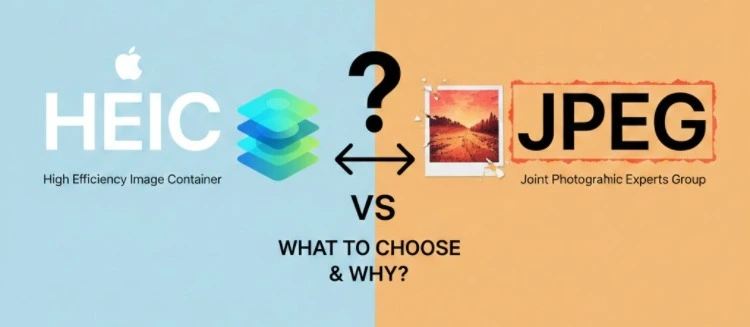
Enter HEIC and JPEG – two powerful formats that promise to deliver on quality and efficiency. But which one should you trust with your precious memories? You’ll discover the key differences between HEIC and JPEG, and gain clarity on which format aligns best with your needs.
Stick around, because making the right choice could save you time, space, and even money. Are you ready to unlock the secret to perfect image storage? Let’s dive in.
File Format Basics
Choosing the right image file format can be confusing. Two popular options are HEIC and JPEG. Each has its unique advantages. Understanding their basics can help you decide which one suits your needs.
Understanding Heic
HEIC stands for High Efficiency Image Codec. It offers better compression than JPEG. This means smaller file sizes without losing quality. Apple devices use HEIC by default. It supports advanced features like live photos and transparency. Despite its benefits, HEIC is not universally supported. Older devices and software might not recognize it.
Understanding Jpeg
JPEG is the most common image format. It stands for Joint Photographic Experts Group. JPEG files are widely compatible across devices and platforms. They offer good quality with manageable file sizes. JPEG uses lossy compression, which reduces file size but affects quality. Despite this, JPEG remains popular due to its flexibility. Its broad compatibility makes it a safe choice for sharing images.
Compression Techniques
Understanding how images are compressed helps choose between HEIC and JPEG. Compression techniques reduce file size while maintaining quality. Both formats use unique methods for this task.
Heic Compression
HEIC, or High Efficiency Image Coding, uses advanced compression. It relies on modern technology to shrink files efficiently. The format can store multiple images in a single file. This feature is useful for burst photos and live images.
HEIC achieves higher compression rates without losing quality. It uses the HEVC standard to compress images. This method reduces data redundancies effectively. As a result, the images retain their original clarity.
Jpeg Compression
JPEG stands for Joint Photographic Experts Group. It is a widely accepted format for image compression. JPEG uses lossy compression to reduce file sizes. This method removes some image data. The goal is to balance quality with size.
JPEG compression works by simplifying color transitions. It discards less noticeable details to save space. Most devices and platforms support JPEG. This makes it a convenient choice for everyday use.
Image Quality
Choosing between HEIC and JPEG can be challenging, especially with image quality. Both formats offer unique features. Understanding these differences helps you pick the right one for your needs.
Quality In Heic
HEIC images are known for their high quality. They use advanced compression techniques. This results in smaller files without losing detail. Colors appear vibrant and rich. Shadows and highlights maintain depth and clarity. HEIC supports 16-bit colors, enhancing image quality. This format captures intricate details better than JPEG.
Quality In Jpeg
JPEG remains a popular choice due to its consistent quality. It compresses images efficiently, offering a balance between size and clarity. JPEG supports 8-bit color depth. This is suitable for most everyday photography needs. Images in JPEG format load quickly on websites. They retain good detail, though not as rich as HEIC.
File Size Comparison
Choosing the right image format can be crucial, especially when it comes to managing file sizes. Whether you're an avid photographer or someone who loves capturing memories on your phone, understanding how HEIC and JPEG compare in terms of file size can save you storage space and enhance your digital experience. Let's dive into the specifics of each format to help you make an informed decision.
Heic File Size
HEIC is known for its efficiency in compressing images. You might notice that photos saved in HEIC format take up less space on your device. This is because HEIC uses advanced compression techniques to reduce file size without compromising image quality.
Imagine having hundreds of high-resolution photos from your vacation. With HEIC, your phone won't run out of storage as quickly, allowing you to keep more memories at your fingertips. It’s like having a suitcase that packs clothes tighter, letting you carry more on your trip.
Jpeg File Size
JPEG, on the other hand, is a format many of us are familiar with. While it’s great for compatibility, it tends to produce larger file sizes compared to HEIC. JPEGs are like that bulky sweater you love but takes up half your suitcase.
However, JPEG files are widely accepted and can be easily opened on almost any device or software. If your main concern is ensuring your images are universally accessible, you might lean towards JPEG despite the larger file size.
So, what’s your priority? Saving space or ensuring compatibility? Understanding these nuances can help you choose the format that best suits your needs. When it comes to file size, HEIC is more efficient, but JPEG might be necessary for broader use. Balancing these factors can lead to a better storage strategy and ultimately a smoother experience with your digital media.
Compatibility And Support
Choosing between HEIC and JPEG can be tricky, especially when compatibility and support come into play. Both formats have their own advantages, but your decision should hinge on where and how you plan to use your images. Whether you’re a professional photographer or just someone who loves taking photos on your phone, understanding which devices support these formats can save you a lot of hassle.
Devices Supporting Heic
If you’re using an Apple device, HEIC is likely your go-to format. iPhones and iPads running iOS 11 and later automatically use HEIC for saving photos. Apple’s ecosystem supports this format to optimize storage and maintain high-quality images.
Windows users may need to install additional codecs to view HEIC images. Some Android devices support HEIC, but the compatibility isn’t universal. Before you switch to HEIC, check if your device or platform supports it to avoid any surprises.
Devices Supporting Jpeg
JPEG is the old reliable format that most devices support. Whether you're using a smartphone, a digital camera, or a computer, JPEG is universally accepted. You’ll find it’s the default format for web browsers, making it ideal for online use.
JPEG’s compatibility extends to most photo editing software, ensuring a seamless workflow. If you’re sharing images across various devices and platforms, JPEG is usually the safer bet.
Think about where you’ll be viewing and sharing your images. Do you frequently use Apple devices? Or do you often send photos to friends with varied tech preferences? The choice between HEIC and JPEG might just come down to your daily tech habits.
As technology evolves, do you think HEIC will become more universally accepted, or will JPEG continue to hold its ground due to its widespread compatibility? Your decision could influence how easily you manage and share your photos in the future.
Editing And Workflow
Choosing between HEIC and JPEG formats affects photo quality and storage. HEIC offers higher compression, saving space without losing detail. JPEG remains widely compatible, ensuring easy sharing and editing across devices. Understanding your needs helps decide the best format for efficient workflow and editing.
Editing and optimizing your photos is an essential part of the creative process. Whether you're a professional photographer or a casual smartphone user, choosing the right image format can streamline your workflow and enhance your editing experience. Let's dive into how HEIC and JPEG stand up in the editing arena and which might suit your needs best.
Heic In Editing
HEIC files, known for their high efficiency, offer a significant advantage during editing. They retain more detail and color depth than JPEGs, allowing you to make adjustments without noticeable quality loss. This means you can tweak exposure, contrast, and saturation with greater flexibility. The smaller file size of HEIC is a boon for those working with limited storage. You can keep more files on your device or cloud without sacrificing quality. However, not all editing software supports HEIC, so you may need to convert files, adding an extra step to your workflow. Are you ready to embrace a format that offers superior editing potential, or does compatibility matter more to you?
Jpeg In Editing
JPEG remains a staple in the editing world due to its widespread compatibility. Nearly all editing software can handle JPEG files, making them a safe choice if you use multiple platforms or share files frequently. This universal support ensures a seamless workflow without conversion hassles. However, JPEGs compress your images, which can limit editing capabilities. Each edit can degrade quality, especially with significant adjustments. Despite this, JPEG's simplicity and ease of use make it ideal for quick edits and sharing on social media. Do you prioritize ease and convenience over editing depth when working with your photos? Choosing between HEIC and JPEG often boils down to your specific needs and editing preferences. Consider how you work with photos and what tools you use to make the most informed decision.
Storage And Sharing
Choosing between HEIC and JPEG affects storage and sharing. HEIC offers better compression and quality, saving space. JPEG remains widely compatible, making it ideal for sharing across platforms. Consider device support and quality needs when deciding.
Choosing between HEIC and JPEG can significantly impact how you store and share your photos. Both formats have their pros and cons, especially when it comes to storage space and ease of sharing. Understanding these differences can help you make smarter decisions with your images.
Sharing Heic Files
Sharing HEIC files can be a bit tricky. Not all devices or platforms support this format yet. If you’ve tried sending a HEIC photo to someone using an older device, you might have faced compatibility issues. However, HEIC files are smaller in size compared to JPEGs, which means they can be sent quicker and use less data. This is a huge plus if you're frequently sharing images through email or messaging apps. But remember, the recipient needs compatible software to view them.
Sharing Jpeg Files
JPEGs have been around for decades and are universally accepted. Almost every device, from smartphones to smart TVs, can open JPEG files without a hitch. This makes them a safe choice for sharing images with friends or colleagues. JPEGs, however, tend to be larger in size compared to HEIC files. This can be a downside if you're sharing multiple photos at once or have limited data. But, the broad compatibility often outweighs the downsides of larger file sizes. When deciding which format to use, think about who you're sharing with. Are they tech-savvy enough to handle HEIC? Or do they prefer the reliability of JPEG?
When To Choose Heic
Choosing the right image format can make a significant difference in how your photos look and how much space they take up. HEIC, which stands for High Efficiency Image Coding, is a format that's becoming popular for its ability to store high-quality images in smaller file sizes. But when should you choose HEIC over JPEG? Let's explore some scenarios where HEIC might be your best option.
When Storage Space Is Limited
If you're constantly running out of storage on your devices, HEIC could be a lifesaver. This format compresses images more efficiently than JPEG, allowing you to store more photos without sacrificing quality. Imagine you're on a trip, snapping away on your smartphone. With HEIC, you can capture every moment without worrying about your storage filling up too quickly.
When Image Quality Matters
HEIC offers better image quality compared to JPEG at the same file size. If you're a photography enthusiast or a professional who needs crisp, detailed photos, HEIC might be the way to go. You can capture subtle details that JPEG might miss, making your images look stunning even on large screens.
When Using Apple Devices
Apple devices naturally support HEIC, which means you can take full advantage of this format's benefits without any hassle. If you primarily use an iPhone or iPad, sticking with HEIC ensures seamless compatibility and optimal performance. Have you ever noticed how your iPhone photos look sharper and more vibrant? That's the HEIC magic at work.
When Sharing Between Apple Users
If you're sharing photos with friends and family who also use Apple devices, HEIC is a great choice. Everyone can view and enjoy the images without any need for conversion. This format makes sharing easy and efficient, especially when everyone in your circle uses Apple products.
Have you tried HEIC for your images yet? Consider these scenarios and see if HEIC might be the perfect choice for your photo needs. Whether it's saving space or enhancing image quality, HEIC offers tangible benefits that could make a difference for you.
When To Choose Jpeg
Choosing the right image format can make a significant difference in your digital life. JPEG has been the go-to format for many because of its compatibility and ease of use. But when should you lean towards JPEG over HEIC? Let's explore some scenarios where JPEG might be your best bet.
Compatibility Across Devices
If you want your images to be easily accessible across various devices, JPEG is a safe choice. Unlike HEIC, which may face compatibility issues on older devices, JPEG works seamlessly almost everywhere. You won't have to worry about whether your grandma's phone can open your vacation pictures.
Simplifying Image Sharing
Ever tried sending a photo to a friend only to realize they can't open it? JPEG eliminates this hassle. Most social media platforms, email services, and messaging apps support JPEG. Sharing is straightforward, ensuring your images are viewable to anyone, anytime.
Editing And Software Compatibility
Planning to edit your photos using different software? JPEG is widely supported by most photo editing tools. Whether you're a Photoshop guru or just fiddling with basic editing apps, you'll find JPEG much easier to work with.
Storage Concerns
While HEIC offers better compression, JPEG still maintains a good balance between quality and file size. If your device is running out of storage, converting some images to JPEG might free up space without drastically losing quality.
Printing Needs
Thinking of printing your photos? JPEG is often preferred by printers due to its standard color profiles and wide acceptance. You can expect consistent and high-quality prints without additional adjustments.
Universal Use
Ask yourself: do you need an image format that works everywhere, without a hitch? JPEG is globally recognized and accepted. From web design to academic projects, JPEG images integrate smoothly, ensuring you never face unexpected roadblocks.
Conclusion
Choosing between HEIC and JPEG depends on your needs. HEIC offers better compression and quality. JPEG is widely supported and easy to share. Both formats have their strengths. Consider your device compatibility. Think about storage space. Evaluate your editing requirements.
HEIC suits modern devices. JPEG fits older systems. Choose HEIC for higher quality photos. Opt for JPEG for universal compatibility. Your choice impacts photo storage and sharing. Analyze your priorities before deciding. By understanding the differences, you make an informed choice.
Related blog posts
Ng Vs Tiff: Choosing the Right Format for Optimal Quality
Choosing the right image format can feel like standing at a crossroads, especially when you’re faced with options like NG and TIFF. Each format has its strengths and weaknesses, and understanding them is crucial to making the best choice for your needs.
Clipping Path Associate has empowered businesses globally for over 12 years. A passionate team is dedicated to providing meticulous photo editing services. Expertise is offered in a range of areas, from precise clipping paths to flawless image retouching. The company offers straightforward yet impactful solutions tailored for photographers, e-commerce enterprises, advertising agencies, web design firms, magazine publishers, printing companies, and more.
We Accept : 