
Theodore Lowe, Ap #867-859
Sit Rd, Azusa New York
Find us here
Layered Psd Vs. Flattened Files: Essential Client Insights
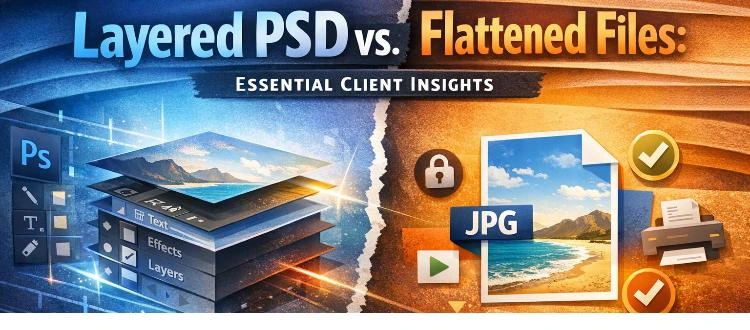
Understanding these two file types can be the key to unlocking your creative potential and getting the most out of your design collaborations. You'll discover why knowing the difference matters, how it impacts your flexibility and control, and what choices you should make to ensure your projects shine.
Get ready to learn how these files can either restrict or empower your creative vision. Keep reading to ensure you make informed decisions that can transform your ideas into reality.
Layered Psd Files
Layered PSD files offer flexibility and easy edits, unlike flattened files. Clients can customize elements without altering the whole design. These files ensure easy updates and modifications, making them ideal for design projects.
When working with digital design, understanding the difference between layered PSD files and flattened files can be crucial. Layered PSD files, a staple in the design world, offer a range of benefits that can greatly enhance your projects. These files contain multiple layers, each holding different elements of the design, which can be independently edited and manipulated. Let's dive into why these files are so valuable.
Benefits Of Editable Layers
Layered PSD files give you the power to make changes without altering the entire design. Imagine receiving a client request for a color change on a specific element. With editable layers, you can adjust just that element without disturbing the rest of the design. This saves time and reduces the risk of errors. You can also easily test different design concepts. Want to see how a new font looks? Simply add it on a new layer and toggle its visibility. This flexibility makes experimenting both easy and risk-free.
Flexibility In Design Adjustments
Changes in design are inevitable. Maybe you've experienced the frustration of redoing entire sections due to minor client requests. Layered PSD files eliminate this hassle by allowing quick and precise adjustments. Adjusting the layout for various platforms? You can resize or rearrange elements without affecting the overall composition. This adaptability ensures your design meets any requirement efficiently.
Collaboration And Workflow Efficiency
Collaboration is a breeze with layered PSD files. Multiple designers can work on different layers simultaneously, making teamwork seamless. This not only saves time but also boosts creativity as ideas are easily integrated. Consider how easily you can share feedback. You can highlight specific layers for review, providing clear instructions for changes. This clarity enhances communication, ensuring everyone is on the same page. Have you considered how these advantages could transform your design process? Layered PSD files are more than just a tool; they are a strategic asset in delivering exceptional results.
Flattened Files
Clients should know the difference between layered PSD and flattened files. Layered PSDs offer flexibility for editing. Flattened files are simpler but fixed. Choose based on your design needs.
Flattened files are an essential concept that every client should understand. These files are the result of merging all layers in a Photoshop document into a single layer, creating a simplified image. While they offer certain advantages, they also come with limitations that can impact your projects. Knowing the pros and cons of flattened files will help you make informed decisions in your design collaborations.
Simplified File Format
Flattened files offer a simplified format that is easy to work with. Think of them as the final version of a project. They don't require specific software to view, making them convenient for sharing and viewing across different devices. Imagine receiving a complex file with multiple layers. Navigating through them can be overwhelming, especially if you just want a quick glance at the final product. Flattened files eliminate this complexity. They present a clean, straightforward image that anyone can access without the need for specialized software.
Reduced File Size And Compatibility
One major advantage of flattened files is their reduced file size. By merging all layers, these files become more lightweight, making them easier to store and share. Have you ever tried to email a large file only to receive an error due to size limitations? Flattened files help avoid such scenarios. They are more compatible with various platforms and can be easily uploaded or sent via email without hassle. However, while reduced size and compatibility are beneficial, they may also limit the file's usability in certain situations. Consider what you'll need the file for. Will the simplified format meet your needs, or will you require something more versatile?
Limitations In Editing
Flattened files have a significant drawback: limited editing capabilities. Once a file is flattened, adjusting individual elements becomes difficult, if not impossible. Think about making changes to a text or image in a flattened file. You can't edit specific components without altering the entire file. This limitation can be frustrating if you later decide to tweak aspects of the design. Ask yourself: are you comfortable with the finality of a flattened file? If you anticipate needing revisions, you might want to consider keeping a layered version handy. Having both options can provide flexibility while still benefiting from the simplicity of flattened files. Understanding flattened files is crucial in making informed design decisions. They offer simplicity and convenience but require careful consideration of your future needs. Are you ready to embrace their ease, or do you need the flexibility of layered files for potential changes?
Choosing The Right Format
Choosing the right format for your design files can influence your project's success. Clients often face a dilemma: opting for layered PSD files or flattened ones. Understanding each format's benefits helps make informed choices. This decision depends on several factors, including project requirements, client preferences, and balancing quality and usability.
Project Requirements And Goals
Consider the project's specific needs. Layered PSD files offer flexibility for future edits. They're ideal for complex designs needing adjustments. Flattened files, on the other hand, are simpler. They are suited for final submissions where no changes are expected. Assess the project's goals to choose the format that aligns best.
Client Preferences And Feedback
Clients may have unique preferences. Some prefer layered files for transparency and control. Others might lean towards flattened files for simplicity. Regular feedback from clients helps understand their expectations. This ensures the final product meets their vision and requirements. Clear communication fosters trust and satisfaction.
Balancing Quality And Usability
Finding the right balance between quality and usability is key. Layered files maintain high quality, offering detailed editing options. Flattened files are easier to handle, with reduced file size. They are ideal for quick sharing or printing. Evaluate the need for quality versus practical usability in every project. This ensures the format chosen serves the end purpose effectively.
Impact On Design Process
Understanding how file types impact the design process is crucial. Layered PSD and flattened files each offer distinct advantages. Knowing these differences can help clients make informed decisions.
Speed Of Delivery
Layered PSD files take longer to work with. Designers adjust each element separately. This thoroughness can slow delivery times. Flattened files are faster. All elements merge into one layer. This simplicity speeds up the process.
Cost Implications
Layered PSD files often cost more. Designers spend more time on them. More time means higher fees. Flattened files generally cost less. They require less work from the designer. This efficiency translates to lower costs.
Future Modifications And Updates
Layered PSD files are flexible. Easy to modify and update. Designers can change individual elements. Flattened files are less flexible. Changes require more effort. Modifications can be complex and time-consuming.
Client Communication Strategies
Understanding the difference between layered PSD and flattened files helps in project management. Layered PSD files offer flexibility for edits, while flattened files are easier to share and print. Clients should choose based on their needs for future changes or simplicity.
Client Communication StrategiesEffective communication with clients is the cornerstone of a successful project, especially when discussing layered PSD and flattened files. As a designer, you might know the ins and outs of file formats, but clients often need guidance to understand the differences. Clear communication helps set the right expectations and ensures clients feel confident in the decisions made during the design process.
Educating On File Formats
Explaining the difference between layered PSD and flattened files can be a game-changer. Layered PSD files are like a cake with multiple layers, allowing for more flexibility and easier edits. In contrast, flattened files are a single-layer cake, offering simplicity but limiting changes. Consider sharing a simple comparison chart or visual aid to highlight these differences. This approach can make technical details more digestible and less intimidating for your clients. When clients understand the basics, they're more likely to make informed decisions.
Clarifying Expectations
Setting clear expectations is crucial for a smooth project workflow. Discuss what the client hopes to achieve with the files and explain how each format supports their goals. If they want to make future edits, stress the importance of layered PSD files. Ask questions like, "Do you plan to make changes in the future?" This helps gauge their needs and ensures no surprises down the line. Aligning on expectations early prevents misunderstandings and fosters a positive working relationship.
Providing Options And Recommendations
Offering options empowers clients to make choices that best fit their needs. Present both layered PSD and flattened files as viable options, depending on their project requirements. Recommend layered files for projects needing flexibility and flattened files for final outputs. Share insights from past experiences where certain formats worked better for specific projects. This personal touch can make your advice more relatable and trustworthy. Encourage clients to ask questions, ensuring they feel comfortable and confident in their decision.
Conclusion
Choosing between layered PSDs and flattened files matters. Layered PSDs offer flexibility. You can edit easily. Designers love them for complex projects. Flattened files save space. They are quick to share. Ideal for finalized designs. Clients should know their needs.
Is editing important? Go for layered PSDs. Need small files? Choose flattened. Each has its place in design. Understand your goals. Make the right choice for your project. Always communicate with your designer. This ensures the best outcome. Your design success depends on it.
Related blog posts
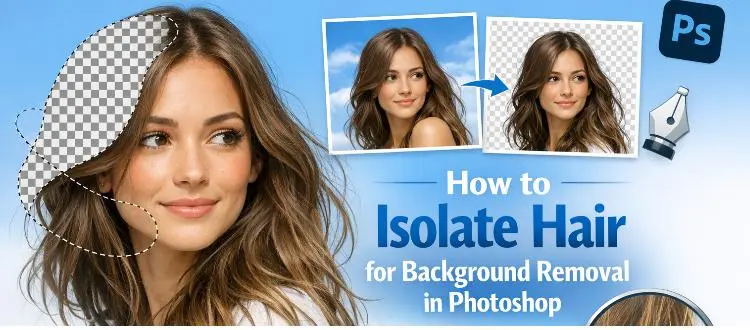
How to Isolate Hair for Background Removal in Photoshop
Are you tired of spending hours trying to perfectly isolate hair from a background in Photoshop, only to end up with messy, unnatural edges? You're not alone.
Clipping Path Associate has empowered businesses globally for over 12 years. A passionate team is dedicated to providing meticulous photo editing services. Expertise is offered in a range of areas, from precise clipping paths to flawless image retouching. The company offers straightforward yet impactful solutions tailored for photographers, e-commerce enterprises, advertising agencies, web design firms, magazine publishers, printing companies, and more.
We Accept : 